
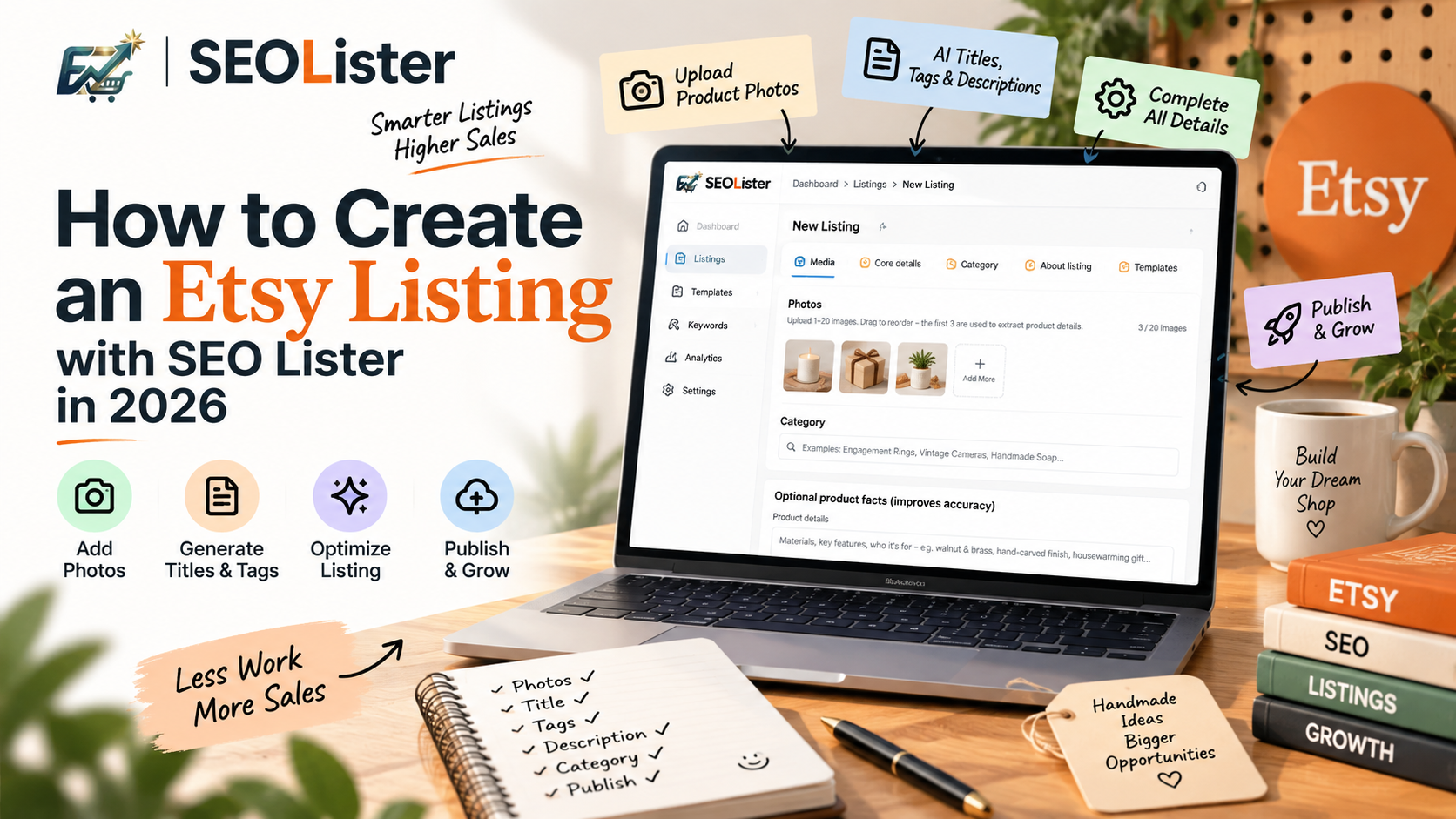
How to Create an Etsy Listing with SEO Lister in 2026
Creating an Etsy listing sounds simple until you reach the actual listing form.
You need product photos, a clear title, search-friendly tags, a useful description, the right category, attributes, personalization options, variations, shipping information, and more.
And every field matters.
SEO Lister is designed to make this process easier by bringing listing creation, AI optimization, and publishing into one workflow.
Instead of starting with an empty Etsy listing and writing everything from scratch, you can start with your product photos and basic product information and let AI help build the listing around them.
Here’s how the workflow works.
1. Start With Your Product Photos
The first step is adding your product images.
In SEO Lister, you can upload multiple product photos and drag them into the order you want. The first few images are used for AI analysis, helping the system understand visible product details.
For example, imagine you're selling a handmade wooden jewelry box.
Your photos may reveal:
- Walnut wood
- Brass hardware
- Handmade construction
- Compact dimensions
- Minimalist design
- Gift-ready presentation
Instead of manually describing every visible detail before you start, your images give the AI useful context.
Why product photos matter for SEO
Photos aren't only about making a listing attractive.
They help shoppers understand what they're buying, and strong listing imagery can improve the likelihood that shoppers click and engage with your product.
Etsy also recommends using multiple product images and making your listing information clear for shoppers.
So start with your strongest product images—not random photos.
2. Add the Product Category
Next, choose the category that most accurately describes your product.
SEO Lister provides a category search where you can enter something like:
Handmade Jewelry Box
or
Personalized Wooden Gift
The category isn't just an organizational field.
Your category determines which attributes and options are available for the listing. Etsy says attributes can help shoppers find products through search, so choosing the closest relevant category is an important part of listing optimization.
Think of category selection as giving Etsy context about what your product actually is.
3. Add Product Facts for Better AI Results
This is one of the most useful parts of the SEO Lister workflow.
You can provide additional product information such as:
- Materials
- Key features
- Target customer
- Product use
- Manufacturing details
- Packaging
- Unique selling points
You can also add additional notes.
For example:
Made from walnut and brass. Handmade in small batches. Designed as a jewelry gift for birthdays, anniversaries, and weddings.
The more accurate information you provide, the less the AI has to guess.
Don't give AI generic information
Compare these two inputs:
Weak:
Nice wooden box for gifts.
Better:
Handmade walnut jewelry box with brass hinges, removable tray, velvet lining, and personalized engraving option. Designed as an anniversary or wedding gift.
The second gives AI actual product facts it can use when creating your title, tags, description, and other listing content.
4. Let AI Build the Core Listing
After providing your product information, SEO Lister can generate the main listing content.
This includes the elements shoppers see first:
Title
Your title should quickly explain what the product is and highlight important characteristics.
For example:
Handmade Walnut Jewelry Box with Brass Hardware, Personalized Gift
Instead of trying to force every possible keyword into the title, focus on clarity and relevance.
Etsy's current title guidance also emphasizes clearly stating the item, putting important traits near the beginning, and keeping titles easy to scan.
Read more: How to Write Etsy Titles That Get Found in 2026
Tags
SEO Lister can generate a complete set of relevant Etsy tags based on your product.
For example:
- walnut jewelry box
- wooden jewelry box
- personalized gift
- jewelry organizer
- handmade jewelry box
The goal isn't simply to repeat the title.
Your tags should cover different ways a real shopper might search for the product.
Etsy currently allows up to 13 tags per listing, with each tag limited to 20 characters.
Read more: Etsy Tags Guide: How to Choose Searchable Keywords
Description
SEO Lister can also create a structured product description.
A good description should answer the questions a shopper has before buying:
- What is it?
- What is it made from?
- What are its dimensions?
- Who is it for?
- How is it used?
- Can it be personalized?
- What comes with the order?
- What makes it different?
The first sentence should make the product immediately clear.
Then provide useful details instead of filling the description with repeated keywords.
5. Complete the Details That Make the Listing More Complete
SEO Lister doesn't stop at title, tags, and description.
The listing workflow also includes fields such as:
- Dimensions
- Weight
- Materials
- Style
- Category
- Listing type
- About the listing
- Shipping profile
- Return policy
- Processing profile
- Shop section
- Production partners
- Personalization
- Variations
This matters because an Etsy listing isn't just an SEO title.
It's a complete product page.
Add accurate attributes
If your product is made from wood, for example, use the relevant material attribute.
If it has a specific style, color, or other available characteristic, select the appropriate attribute.
Attributes give Etsy additional structured information about your product and can create more opportunities for relevant discovery.
6. Use Saved Snippets to Reduce Repetitive Work
One of the biggest problems for active Etsy sellers isn't creating their first listing.
It's creating the 50th, 100th, or 500th listing.
SEO Lister's snippet/template workflow can help with reusable information such as:
- Shipping
- Returns
- Processing
- Shop sections
- About listing information
- Product details
- Dimensions
- Personalization instructions
Instead of repeatedly typing the same information, you can reuse your saved information and focus your time on what makes each product unique.
This is especially useful for sellers with collections or products that share similar fulfillment settings.
7. Add Personalization and Variations
If your product is customizable, you can add personalization questions directly to the listing workflow.
For example:
Enter the name you would like engraved.
You can also create variations for products with different options such as:
- Size
- Color
- Material
- Style
- Quantity
This makes the listing more useful to shoppers and reduces confusion during checkout.
8. Review Before You Publish
AI can save time, but you should still review the listing before publishing.
Check:
Title
- Does it clearly describe the product?
- Are the most important details near the beginning?
- Does it sound natural?
Tags
- Are they relevant?
- Do they represent different search phrases?
- Are any tags unnecessarily repetitive?
Description
- Are the product facts accurate?
- Are dimensions and materials correct?
- Does it answer common buyer questions?
Images
- Is the first image your strongest photo?
- Are the product details clearly visible?
- Do the images match the product you're selling?
Category and attributes
- Is the category accurate?
- Have you completed relevant attributes?
Policies and fulfillment
- Are shipping, processing, and return information correct?
The goal is not to let AI publish blindly.
The goal is to use AI to remove repetitive work while you remain in control of the final listing.
9. Optimize the Listing Before Publishing
SEO Lister's optimization workflow gives you another opportunity to improve the listing before it goes live.
Instead of asking:
"Does this listing look okay?"
you can ask:
"What can I improve before shoppers see it?"
Review the generated title, tags, description, attributes, and other listing sections.
Small improvements before publishing can be much easier than trying to diagnose a weak listing later.
10. Save & Publish
Once everything looks correct, you're ready to save and publish.
The important difference is the workflow:
Product photos → AI analysis → Product facts → Title → Tags → Description → Category → Attributes → Personalization → Variations → Optimization → Publish
Instead of jumping between multiple tools and spreadsheets, you can build the listing inside one workflow.
Why Use SEO Lister for New Etsy Listings?
The biggest advantage isn't simply generating an Etsy title.
It's bringing the entire listing creation process together.
Without a structured workflow, sellers often move between:
- Keyword research tools
- AI writing tools
- Spreadsheets
- Etsy
- SEO checklists
- Notes
- Product information documents
SEO Lister brings many of these repetitive steps into one listing workflow.
You provide the product.
AI helps turn that product information into a structured Etsy listing.
Then you review, optimize, and publish.
The result?
Less manual listing work and more consistency across your shop.
And that's especially valuable when you're launching multiple products instead of creating just one listing.
Create Better Etsy Listings Without Starting From Scratch
A successful Etsy listing needs more than keywords.
It needs accurate product information, relevant search terms, clear presentation, useful descriptions, strong images, appropriate categories, and a buying experience that makes sense.
SEO Lister helps connect those pieces.
Whether you're creating your first Etsy listing or building dozens of products for your shop, the workflow is designed to take you from product photos to a publish-ready listing faster.
Frequently Asked Questions
Is SEO Lister only for Etsy SEO?
No. SEO Lister is designed around the complete Etsy listing workflow, including content creation, optimization, listing details, templates, personalization, and publishing.
Can I edit the AI-generated listing?
Yes. AI-generated content should be treated as a starting point. Review and edit the title, tags, description, and product information so everything accurately represents your actual product.
Does SEO Lister replace keyword research?
It can reduce the manual work involved in turning product information into listing keywords and tags, but sellers should still think about their specific buyer, product niche, and search intent.
Should I publish an AI-generated listing without reviewing it?
No. Always verify product facts, measurements, materials, personalization instructions, pricing, shipping, policies, and other important information before publishing.
Final Takeaway
Creating an Etsy listing shouldn't mean filling out dozens of fields from scratch every time.
With SEO Lister, you can start with your product photos and real product information, generate the core listing content, complete the important Etsy details, optimize the result, and publish from one workflow.
The AI does the repetitive work.
You make the final decisions.
That is the better way to scale Etsy listing creation.
Frequently asked questions
What is SEO Lister?
SEO Lister is an AI-powered Etsy listing optimizer that helps sellers create, improve, score, and publish Etsy listings from one workflow.
Can SEO Lister create Etsy titles, tags, and descriptions?
Yes. SEO Lister can generate and optimize core listing content including titles, tags, and descriptions based on your product information and images.
Do I need to fill in every listing field manually?
No. SEO Lister can use product photos, product facts, templates, and saved snippets to reduce repetitive listing work while still allowing you to review and edit the result.
Ready to grow your Etsy listings?
Use SEO Lister to optimize titles, tags, and listing SEO in minutes.
Try SEO Lister Free